
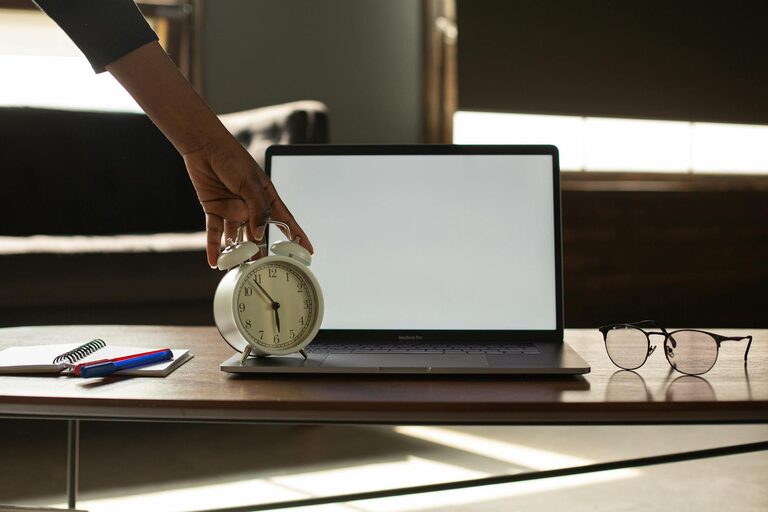
Desk Setup Tips for Focus and Comfort: Create Your Ideal Workspace
Creating the perfect desk setup is more than just arranging your computer and chair. A well-designed workspace can significantly improve your focus, reduce discomfort, and help you maintain productivity throughout the day. Whether you’re working from home or in an office, these desk setup tips will guide you in creating an environment that supports both comfort and concentration.
Why a Good Desk Setup Matters
Your workspace directly influences how you work. Poor ergonomics or clutter can lead to discomfort, distractions, and decreased efficiency. On the other hand, a thoughtful desk setup promotes better posture, minimizes strain, and keeps your mind clear. This blog post will cover key elements of an ideal desk arrangement, including furniture placement, ergonomics, lighting, organization, and personal touches.
Choosing the Right Desk and Chair
Desk Height and Size
– Height: Aim for a desk height that allows your forearms to be parallel to the floor when typing or writing. Standard desks are usually around 28-30 inches tall, but adjustable desks can accommodate different heights and preferences.
– Size: Your desk should fit your work essentials without overcrowding. You’ll need space for your computer, keyboard, mouse, notepad, and perhaps additional items like a lamp or plants. If space allows, consider a wider desk for more freedom of movement.
Ergonomic Chair
– Adjustability: Choose a chair that adjusts to your height and supports your lower back. Being able to modify the seat height, backrest angle, and armrests is ideal.
– Support: Look for good lumbar support to maintain the natural curve of your spine.
– Comfort: Test the cushioning and material to ensure a comfortable sitting experience for extended hours.
Positioning Your Monitor Right
The placement of your computer monitor can greatly affect your posture and eye strain:
– Eye Level: The top of the screen should be at or slightly below eye level. This helps keep your neck aligned naturally.
– Distance: Position the screen about an arm’s length away from your eyes to reduce strain.
– Dual Monitors: If using two screens, place them side-by-side at equal distances, slightly angled inward for easy viewing.
Keyboard and Mouse Placement
Keep your keyboard and mouse close to avoid overreaching:
– Your forearms should rest comfortably on the desk.
– Wrists should be straight, not bent up or down when typing.
– Consider a keyboard tray if your desk height is fixed and causes your arms to angle awkwardly.
Lighting: Bright but Comfortable
Good lighting affects focus and reduces eye fatigue:
– Natural Light: Position your desk near a window if possible for natural light, which can boost mood and reduce fatigue.
– Avoid Glare: Place your monitor perpendicular to windows to avoid glare on the screen.
– Task Lighting: Use a desk lamp with adjustable brightness and color temperature to focus light where you need it without harsh shadows.
Organizing for Productivity
A tidy desk can help maintain mental clarity and efficiency.
Declutter Regularly
– Keep only items you use daily on your desk.
– Use drawers or shelves to store extras.
Use Organizers
– Pen holders, trays, and document stands can keep supplies in order.
– Cable management solutions prevent tangles and keep cables out of your way.
Keep Essentials Handy
– Frequently used items like notebooks, chargers, or sticky notes should be easily accessible without disrupting your workflow.
Adding Personal Comfort Touches
Small elements can make your workspace more inviting and comfortable:
– Plants: Adding greenery can reduce stress and boost mood.
– Ergonomic Accessories: Consider wrist rests, footrests, or standing mats if you use a sit-stand desk.
– Temperature Control: A small fan or heater nearby can help keep you comfortable.
Taking Breaks and Moving
Finally, no desk setup is complete without remembering to move:
– Stand up and stretch regularly to reduce stiffness.
– If possible, alternate between sitting and standing during your workday.
– Incorporate short walks or stretching breaks to refresh your focus.
Conclusion
Investing time in designing a desk setup tailored to your comfort and work style can pay off with increased focus and productivity. From the right chair and desk height to good lighting and organization, small adjustments make a big difference. Use these tips to create a workspace that helps you feel comfortable, energized, and ready to tackle your day.
—
By following these guidelines, you’ll be well on your way to crafting a desk setup that supports both your body and your mind. Happy organizing!
